
How I Use ChatGPT as My AI Prep Partner

To the sworn enemies of AI, bear with me, you will love this.
I, being one of AI's sworn enemies for any human production, find the use of ChatGPT for event preparation to be quite useful, and in many cases, a lifesaver. As it actually helps me, the human, perform and maximise my ability to render a pristine interpretation.
How might one use AI, an intelligent machine, to help a human perform a human task?
The process can be quite "lengthy" and requires a lot of redundancy, so it is best to divide it into three steps. Each step would serve a particular purpose, intended to ease the transition to the following step.
At the end of each step, I will include a comprehensive list of all prompts you can use to maximise the AI's results for said step.
Let's get started.
Step 1 – Starting the Session
The purpose of this step is to set the context for ChatGPT.
Prompt example:
"In a bilingual side-by-side paragraph, extract key themes of [document], important terminology, context, and background if available"
"Here are a number of documents, analyze and summarize content and in bullet points provide context, key terms, and main theme"
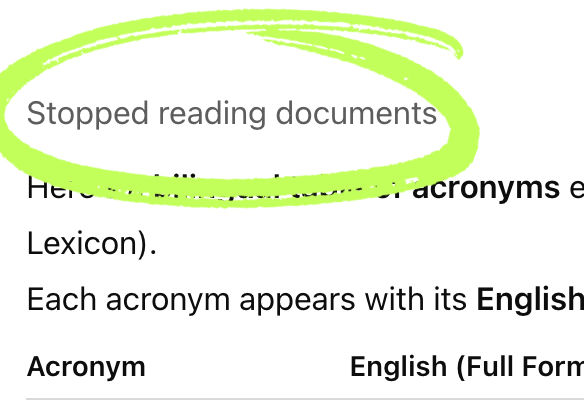
Sometimes, for long documents, ChatGPT can only process so much before giving you an answer. Make sure to read the answer
and look for "stopped reading" which means ChatGPT didn't go
through the entire document or all of the documents provided. In this case, wait until it ends and add :
"continue analyzing given documents in the same way"
Second option - if you're not in a hurry, would be to analyze documents one by one. I actually prefer this method as it 1. maximizes extracted information, 2. helps you understand the topic, quickly familiarize yourself with the terminology, and 3. will be able to spot inconsistencies in future extractions/analyses.
Step 2 – Extracting and Analyzing Content
The purpose of this step is to extract content and important information
Prompt examples:
“Extract all relevant terminology in English and French.”
“Summarize key points of discussion and identify specialized terminology.”
“List any recurring expressions, organizations, and acronyms found in the document.”
Here's a tip: precision is key. After each prompt, before you go on to the next, ask ChatGPT to give you a set number of terms. Instead of repeating the same prompt, the second one should say
“Extract 50 terms from the given document(s) in English and give a French translation according to [theme]”
and repeat until you're done with all prompts. The more terms you get, the better, but it also means the more time you have to spend revising and going through all of them.
Once ChatGPT gives you all batches of results, read through everything carefully. If the output feels too general, narrow it down by asking follow-ups like:
“Focus only on technical or field-specific terms.”
“Expand on [xx] and identify 50 terms on [xx] or [yy] references.”
Rinse and repeat for each document - if you have several. This will ensure a detailed and accurate understanding of the context and vocabulary before moving on.
Step 3 – Building the Interpreter’s Toolkit
The purpose of this step is to bring everything together into one organized, ready-to-use document.
Prompt examples:
“Combine all extracted information into an Interpreter’s Toolkit organized as: context, key points, terminology, acronyms.”
“Format the glossary as a bilingual table (English | French).”
“Add a short summary paragraph capturing the overall theme of the conference.”
Once the toolkit is generated, review it manually against your source documents. Correct or complete any missing terminology, and make sure translations are accurate.
Finally, save your glossaries and toolkits in Notion (or Excel or any other note-taking software of your choice), you can categorize them by client, topic, or event. This makes it easy to retrieve and update them for future assignments, especially if you’re working under tight deadlines or preparing on the same day of the event.
And that’s it! That’s my full ChatGPT preparation workflow for interpreters — from uploading your documents to building your final toolkit. If you’d like to see exactly how it looks in practice, click on the Instagram post below to watch the demo video step-by-step. You’ll see how I upload, prompt, and organize everything in real time — so you can start building your own interpreter’s toolkit too!
And if you’re interested in going even further, let me know if you’d like access to my Notion Interpreter Toolkit (available for purchase soon) — it already contains over 1,000 terms across 16 different topics, themes, and contexts, all organized, categorized, and ready to use!


Comments